
SanDisk 128GB Ultra Flair USB 3.0 Flash Drive Review 2026
Table of Contents
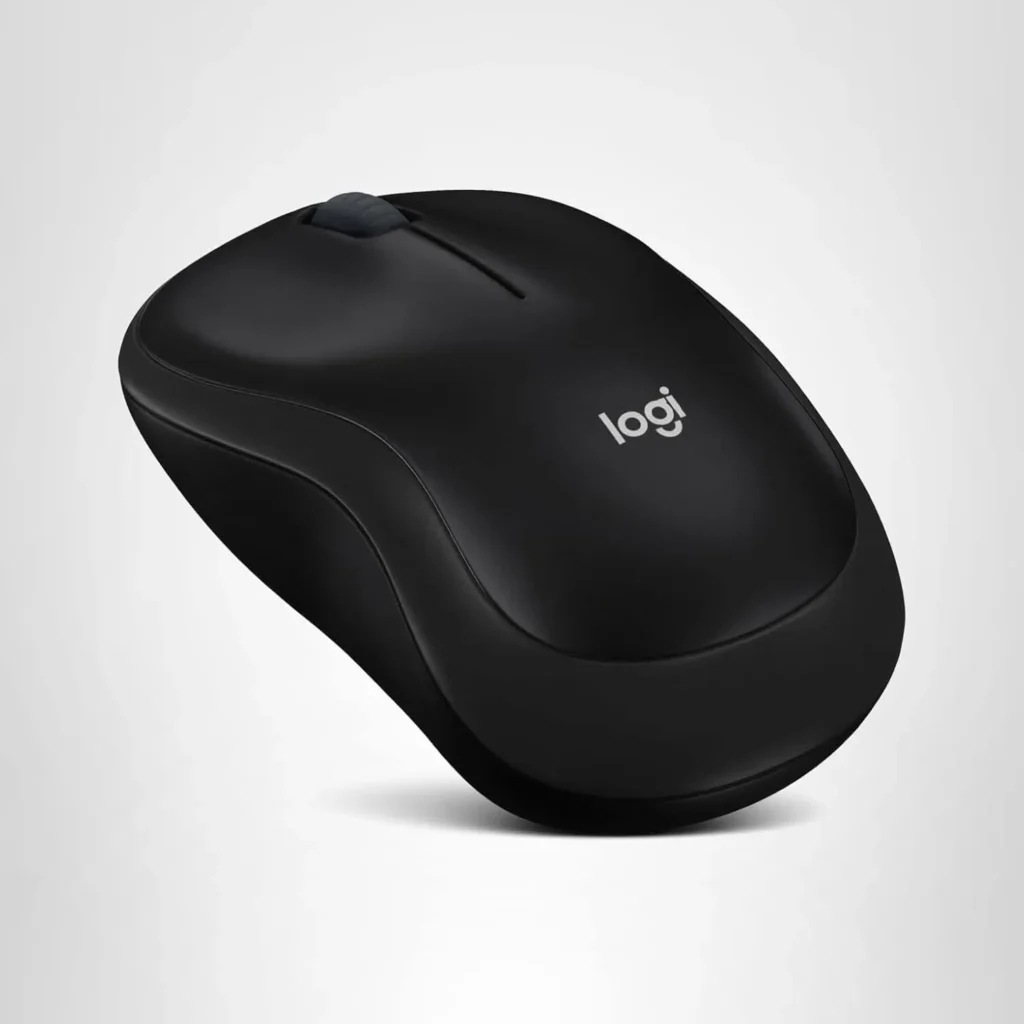
ToggleThe Logitech M185 Wireless Mouse is a compact, plug-and-play wireless mouse designed for basic productivity and casual computing. It features a 2.4GHz USB nano receiver for reliable connectivity, ambidextrous design for left- or right-handed users, and a long-lasting battery life, making it a popular choice for laptops, desktops, and on-the-go setups.
4.5/5
48,050 reviews
* Affiliate links. We may earn a commission at no extra cost to you.
Quick Summary
Best For
Budget-conscious professionals, students, and casual home users seeking a simple, no-frills mouse for daily tasks like browsing, office work, and light editing.
Price Range
$9.95 - $14.99 (depending on color and any promotions)
Availability
Widely available on Amazon and other retailers.
Secure Purchase
Verified Sellers
Fast Delivery
Buyer Protection
Jump to Section
In-Depth Product Overview
Design and Build Quality
The Logitech M185 boasts a compact, contoured shape that fits comfortably in small to medium hands. Its ambidextrous design ensures usability for both left- and right-handed users, with a smooth, matte finish that resists fingerprints. Weighing just 75g (including battery), it’s lightweight and portable, ideal for travel or laptop bags. The build feels durable with a 3-year limited hardware warranty, though it’s made of basic plastic without premium ergonomics.
Performance and Tracking
Equipped with 1000 DPI optical tracking, the M185 provides smooth, precise cursor control on most surfaces, excluding glass. The line-by-line scroll wheel is responsive for document navigation, and the 125Hz polling rate suits everyday tasks but not high-speed gaming. Users report minimal lag thanks to the reliable 2.4GHz wireless connection, with a range up to 10 meters.
Battery Life and Connectivity
One of the standout features is the 12-month battery life from a single AA battery (included), aided by a smart sleep mode that conserves power. Setup is plug-and-play via the tiny USB nano receiver, which can be stored inside the mouse. No Bluetooth option—it’s USB receiver only—but it’s compatible with Windows, Mac, Linux, and Chrome OS without needing drivers.
Compatibility and Setup
The M185 works seamlessly across multiple operating systems, including Windows 10/11, macOS, and Linux. Simply insert the battery, plug in the receiver, and it’s ready—no software required. It’s a great entry-level mouse for beginners or those upgrading from wired options, with easy compatibility for multi-device setups (though the receiver pairs with only one mouse at a time).
Key Features & Benefits
Compact Ambidextrous Desig
Comfortable for both hands, with a contoured shape superior to laptop touchpads for extended use.
2.4GHz Wireless Connectivity
Reliable plug-and-play with USB nano receiver, offering up to 10m range without interference.
12-Month Battery Life
Powered by one AA battery (included), with auto-sleep mode to extend usage.
1000 DPI Optical Sensor
Provides accurate tracking on various surfaces for smooth cursor movement.
Line-by-Line Scroll Wheel
Precise scrolling for documents and web pages, with tactile feedback.
Universal Compatibility
Works with Windows, Mac, Linux, and Chrome OS—no software installation needed.
Lightweight and Portable
Weighs 75g, with receiver storage compartment for easy travel.
Durable Build
3-year limited warranty and tested for reliability in everyday scenarios.
Energy-Efficient
Smart power management reduces battery changes to once a year for average users.
Affordable Pricing
Budget-friendly entry into wireless mice without sacrificing core functionality.
Pros & Cons
What We Love
- Affordable entry into wireless mice without complex features.
- Comfortable, ambidextrous design for versatile use.
- Reliable wireless performance with minimal lag.
- Plug-and-play simplicity for quick setup.
- Great value for money in the budget segment.
Room for Improvement
- No Bluetooth connectivity—requires USB receiver.
- Fixed 1000 DPI may feel low for precision tasks.
- Lacks side buttons or customizable features.
- Small size not ideal for users with large hands.
- Basic scroll wheel without free-spinning mode.
Frequently Asked Questions
It's suitable for casual games but not ideal for competitive FPS due to 1000 DPI and 125Hz polling rate—users on Reddit suggest wired options for better precision.
Many Reddit users report 8-12 months with daily use; replace with a fresh AA if it drains faster, and ensure the on/off switch is used.
Only via the 2.4GHz USB receiver—no Bluetooth; forums note this limits multi-device pairing without extra receivers.
It's compact, so users with larger hands on Reddit often find it too small and recommend bigger models like the MX Master.
Logitech doesn't sell standalone receivers for the M185; Reddit advises buying a new mouse or checking compatibility with unifying receivers (not supported here).
Final Verdict
4.5/5
The Logitech M185 is a solid, no-nonsense wireless mouse that excels in reliability and affordability for basic needs.
Who Should Buy It
- Affordable entry into wireless mice without complex features.
- Long battery life reduces maintenance hassle.
- Ambidextrous design suits left- or right-handed users.
- Plug-and-play compatibility for multiple OS.
- Compact size perfect for travel and small hands.
Who Should Skip It
- Needs Bluetooth for receiver-free connectivity.
- Requires higher DPI or adjustable sensitivity for precision work.
- Prefers extra buttons for productivity shortcuts.
- Has large hands and wants ergonomic comfort.
- Seeks gaming performance with low latency and high polling.
🔥 Limited-Time Offer — Get Yours Today!
Logitech M185 Wireless Mouse, 2.4GHz with USB Mini Receiver
$13.95