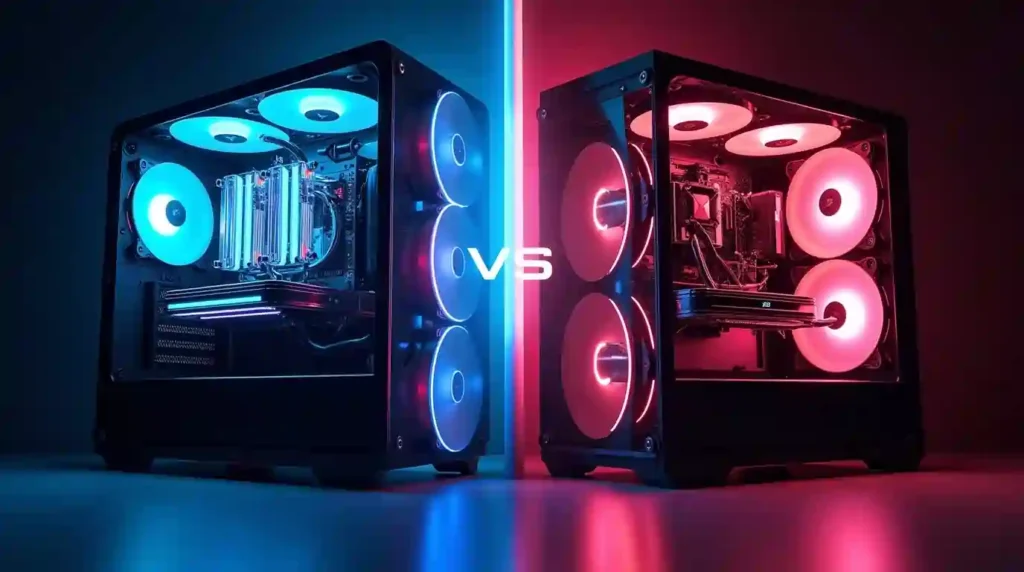

Is liquid cooling better than air cooling? Every PC needs a way to get rid of the heat generated by the CPU (and often the GPU). The two most common methods:
- Air cooling uses a heatsink attached to the chip + one or more fans that blow air across metal fins to dissipate heat.
- Liquid cooling (usually a closed-loop “AIO” or custom loop) uses a pump to circulate a coolant through a water‑block over the chip; the warmed liquid goes to a radiator, where fans blow the heat away — then the cooled liquid returns to continue the cycle.
Recent Benchmarks, Scenario / Source
| Scenario / Source | Cooler Types Compared | Temp / Performance Difference / Notes |
|---|---|---|
| Dunao guide (2025) | Premium air cooler (dual‑tower) vs 240 mm AIO liquid cooler on a high-end CPU (i9-13900K) | Air cooler peaked at 98 °C (risking throttling), liquid cooler peaked at 72 °C — ~26 °C cooler. |
| TheTechFluencer (2025) | High‑end air vs liquid coolers — e.g. Ryzen 7 5800X under load | Liquid cooler kept ~5–15 °C cooler under heavy loads; but for mid-range CPU (Ryzen 5 / i5) difference was minor, both staying “safe”. |
| TES PC comparison | Large air cooler vs 240 mm AIO under high‑TDP / heavy load | Under heavy sustained load, AIO had better peak temperature control; under lighter or moderate load difference was small (e.g. air ~75 °C vs AIO ~70 °C). |
| PCPartsExpert (2025) overview | Air vs liquid for modern CPUs (e.g. Ryzen 7000, Raptor‑Lake) | For high-end CPU under full load, liquid cooler gave ~5–10 °C lower temps than air cooler; but during typical gaming (often GPU‑bound), air vs AIO many times show similar temps (e.g. 60–70 °C). |
| SilverPC Blog (2025) | Air vs liquid (AIO) for various workloads | AIO gave better thermal management and more “headroom” under heavy workloads or overclocking; air cooling remained viable and efficient for most mainstream builds. |
How They Work: Air Cooling vs Liquid Cooling — The Mechanics
- In air cooling, the heatsink absorbs heat from the chip, and the fan pushes air through fins to spread out the heat into the case environment. The air inside the case then gets warm and must exit the case — airflow throughout the case matters.
- In liquid cooling, the coolant (liquid) quickly draws heat away from the chip because liquid has much higher thermal capacity compared to air — water (or coolant) can move a lot more heat per unit volume than air.
- Because of this efficiency, liquid cooling radiators can often be placed to exhaust heat directly outside the case — which helps keep internal ambient temperature lower.
Cooling Performance & Temperature Control
Liquid cooling tends to outperform air cooling when it comes to raw thermal performance: many sources report 10–20 °C lower operating temperatures under load when using liquid cooling compared to air cooling.
This makes liquid cooling especially beneficial if your CPU or GPU generates a lot of heat — e.g. high‑end chips, long gaming sessions, video editing, rendering.
However — a high-quality air cooler (especially premium dual‑tower designs) can still provide solid cooling for most everyday and gaming workloads, especially if you’re not overclocking heavily.
Noise, Comfort and Daily Use Quality
Liquid cooling generally leads to quieter operation. Because the liquid moves heat more effectively than air, radiator fans and pump often run at lower speeds compared to the high‑RPM fans of air coolers under load. Tom’s
This quieter environment can be a boon for gamers, content creators, or anyone who dislikes loud fan noise.
That said — modern high-end air coolers can also be quite quiet, especially at idle or light workloads.
Overclocking & High‑Performance Use Cases
If you plan to overclock your CPU or GPU (i.e. push beyond factory settings), or you run heavy workloads (like video rendering, 3D modelling, long gaming sessions, streaming, etc.), liquid cooling is often the better choice. Its superior heat dissipation helps maintain low temps even under load, reducing overheating risk and aiding stability.
Air cooling might struggle under heavy loads — especially if the CPU/GPU produce high thermal loads — which can cause thermal throttling (down‑clocking to prevent overheating).
Cost, Installation & Maintenance — What You Should Know
Liquid cooling systems — especially custom loops — tend to be more expensive than air coolers. Even entry-level All-in-One (AIO) liquid coolers usually cost more than standard air coolers.
Installation is also more complex: you have to mount the pump/block, route tubes, place the radiator, and ensure the coolant loop is properly sealed. Custom loops sometimes require maintenance — coolant changes, checking for leaks, ensuring pump function.
On the other hand, air cooling is simpler: typically plug‑and‑play, minimal maintenance (just dusting fans), and fewer failure points (usually just a fan).
Reliability, Risks and Longevity
Because liquid cooling involves coolant, pumps, tubes, radiators — there are more components that can fail compared to an air cooler’s metal heatsink + fan. Leaks, pump failure, coolant degradation (over many years) are potential risks — though modern closed‑loop AIOs are generally well sealed.
Air coolers, by contrast, have few moving parts (just fans) and are simpler — making them more robust over long periods, and easier to repair or replace if something goes wrong (e.g. fan failure).
Best Use‑Cases: When to Pick Air Cooling; When to Pick Liquid Cooling
Choose Air Cooling If:
- You have a mid-range or modest CPU/GPU, not heavily overclocked.
- You care about budget, simplicity, reliability, low maintenance.
- You prefer a straightforward build or are building a PC for everyday use (web browsing, office tasks, light gaming).
- You want minimal maintenance and don’t want to worry about pump/coolant issues.
Choose Liquid Cooling If:
- You run high‑performance workloads: gaming, video editing, rendering, streaming, long sessions.
- You plan to overclock your CPU/GPU.
- You care about lower temps, quieter operation, and better thermal headroom.
- You have a well‑ventilated, spacious PC case and you don’t mind paying more or being mindful about installation/maintenance.
Practical Recommendations (For Different Types of Users)
- For casual users / general use / budget builds: A good air cooler is often enough — you’ll get reliable performance with minimal cost and maintenance.
- For gamers, content creators, heavy‑load users: Liquid cooling offers tangible benefits — lower temperatures, quieter operation, stability under load.
- For overclockers / enthusiasts / professional workloads: Liquid cooling tends to be the smarter choice.
- For compact builds or small form‑factor PCs: Liquid cooling (especially AIO) may be more space‑efficient and manageable than bulky air-cooler heatsinks.
Final Verdict: What’s “Better” Depends on Your Needs
There’s no one-size-fits-all winner. Liquid cooling is “better” in the context of high-performance demands, overclocking, heavy workloads, desire for lower temps and quieter PC. Meanwhile air cooling remains “better” for simplicity, cost-effectiveness, low maintenance, reliability, and everyday PC usage.
So — the “best” cooling solution depends on what you use your PC for, your budget, and how much you care about noise, temperature, and maintenance.