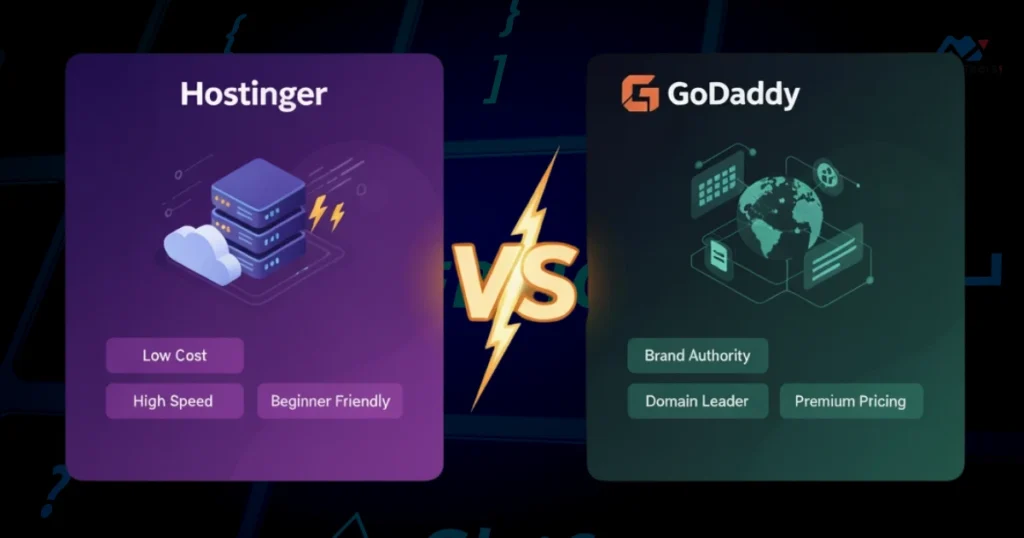

Choosing the right web hosting service can feel overwhelming. You want your website to load fast, stay online, and be easy to manage.
That’s why comparing Hostinger vs GoDaddy matters. Both are popular names, but which one truly fits your needs? You’ll discover the key differences, strengths, and weaknesses of each. By the end, you’ll have a clear idea of which host will help your website succeed without breaking your budget or causing headaches.
Keep reading to find the perfect match for your online goals.
Hosting Plans And Pricing
Choosing the right hosting plan affects your website’s performance and budget. Both Hostinger and GoDaddy offer various hosting plans. These plans fit different needs and price points. This section breaks down their shared hosting, VPS, and dedicated server options. It also explains renewal rates and discounts.
Shared Hosting Options
Hostinger provides three main shared hosting plans. These plans include Single, Premium, and Business. Single plan suits small sites and blogs. Premium plan offers more resources and features. Business plan includes extra speed and daily backups.
GoDaddy’s shared hosting has four plans. They are Basic, Deluxe, Ultimate, and Maximum. Basic is ideal for beginners with one website. Deluxe and Ultimate offer more storage and performance. Maximum plan is for larger sites with high traffic.
Vps And Dedicated Servers
Hostinger offers VPS plans with various RAM and CPU options. These plans suit growing websites and developers. They provide full root access and SSD storage. Hostinger also has dedicated servers, but options are limited.
GoDaddy provides a wide range of VPS plans. They come with managed and unmanaged options. More choices in CPU, RAM, and storage are available. GoDaddy’s dedicated servers offer robust power and control. These servers fit high-traffic websites and businesses.
Renewal Rates And Discounts
Hostinger attracts customers with low introductory prices. Renewals cost more but remain competitive. They often run discounts on new sign-ups. GoDaddy’s initial prices are higher than Hostinger’s. Renewals can be significantly higher as well. Discounts are available but usually for limited times.
Understanding renewal costs helps avoid surprises later. Hostinger is known for affordable renewals. GoDaddy’s renewal rates may impact long-term budget. Both providers offer money-back guarantees for testing.

Credit: medium.com
Performance And Speed
Performance and speed are key factors for any website host. Fast loading pages keep visitors happy. Slow websites lose traffic and rankings. Both Hostinger and GoDaddy offer solid performance. Let’s examine their uptime, loading times, and data centers.
Server Uptime Reliability
Hostinger promises 99.9% uptime, which means very little downtime. Their servers are stable and rarely go offline. GoDaddy also offers 99.9% uptime but has had some outages in the past. Consistent uptime ensures your website stays online for visitors and search engines.
Loading Times
Hostinger uses LiteSpeed caching technology. This speeds up page loading significantly. GoDaddy relies on standard caching methods, which can be slower. Tests show Hostinger often loads pages faster than GoDaddy. Faster sites reduce bounce rates and improve user experience.
Data Center Locations
Hostinger has data centers in the US, Europe, and Asia. This helps deliver content quickly worldwide. GoDaddy has more data centers but they are mostly in the US. Choosing a host with data centers near your audience boosts speed. Hostinger’s global presence gives it an edge for international visitors.
User Interface And Ease Of Use
User interface and ease of use are vital for web hosting services. They affect how quickly users can set up and manage their websites. Both Hostinger and GoDaddy offer user-friendly dashboards. Yet, their designs and features differ in some ways. This section compares their control panels, website builders, and account management.
Control Panel Features
Hostinger uses a custom control panel called hPanel. It is clean, simple, and fast. The layout helps beginners find tools quickly. Common tasks like email setup, domain management, and databases are easy to access.
GoDaddy offers a more traditional cPanel option for many plans. It has many features but can feel cluttered. Some users might find it overwhelming at first. GoDaddy also has a custom dashboard for easier navigation.
Website Builder Tools
Hostinger includes a drag-and-drop website builder. It offers templates and basic editing tools. Users can create simple sites without coding. The builder is straightforward and beginner-friendly.
GoDaddy’s website builder is more advanced. It provides more design options and integrations. The editor is intuitive but can take time to master. It suits users wanting more control over their site design.
Account Management
Hostinger’s account dashboard is minimalistic. Users can manage billing, renewals, and support tickets easily. The interface keeps important information visible at a glance.
GoDaddy’s account management is comprehensive but busy. It shows detailed billing info and service updates. Some users may need time to get used to the layout. The control over domains and add-ons is strong.

Credit: mycodelesswebsite.com
Customer Support Quality
Customer support is vital for hosting services. Good support helps solve problems fast. It also improves the overall user experience. Hostinger and GoDaddy offer different support quality. Understanding their support can guide your choice.
Support Channels
Hostinger offers live chat and email support. The live chat is available 24/7. Email responses may take longer but are helpful. GoDaddy provides phone support, live chat, and email. Phone support is a big plus for many users. Both companies cover many channels to assist customers.
Response Times
Hostinger’s live chat usually replies within minutes. Email replies take a few hours. GoDaddy’s phone support answers quickly during business hours. Live chat waits can vary but are often short. Fast replies reduce downtime and stress. Hostinger generally has faster chat responses.
Knowledge Base Resources
Hostinger has a clear and easy-to-navigate knowledge base. Articles are short and simple. GoDaddy’s knowledge base is extensive but sometimes harder to browse. Both offer tutorials, FAQs, and guides. Hostinger’s resources suit beginners well. GoDaddy’s are better for detailed questions.
Security Features
Security is a key factor when choosing a web host. It protects your website and user data. Both Hostinger and GoDaddy offer several security features. These help keep your site safe from threats and downtime.
Ssl Certificates
SSL certificates secure the connection between your site and visitors. Hostinger includes free SSL certificates with most plans. GoDaddy offers SSL certificates but often charges extra. A free SSL helps build trust and improves SEO rankings.
Backup Services
Backups save your website data regularly. Hostinger provides daily or weekly backups depending on the plan. GoDaddy also offers backup services but usually as a paid add-on. Regular backups help you restore your site after data loss or errors.
Malware Protection
Malware can harm your website and visitors. Hostinger scans for malware and removes threats automatically. GoDaddy offers malware scanning and removal but may charge fees. Effective malware protection prevents hacks and keeps your site clean.
Additional Services
Both Hostinger and GoDaddy offer a range of extra services beyond basic hosting. These services can help you manage your online presence easily. They include domain registration, email hosting, and marketing tools. Let’s explore these services to see what each provider offers.
Domain Registration
Hostinger provides domain registration with competitive prices. They offer many domain extensions like .com, .net, and .org. Domain management is simple with their control panel.
GoDaddy is one of the largest domain registrars worldwide. They have a huge variety of domain extensions available. GoDaddy often includes free domain privacy protection for new domains.
Email Hosting
Hostinger includes professional email hosting in some plans. Their email service supports custom domains and spam protection. It integrates well with popular email clients.
GoDaddy offers robust email hosting powered by Microsoft 365. Users get access to premium apps and large mailbox storage. This service suits business users needing reliable email.
Marketing Tools
Hostinger provides basic marketing tools like SEO optimization hints and website analytics. These help improve site visibility on search engines.
GoDaddy offers a wider range of marketing tools. These include email marketing, social media integration, and online advertising credits. They aim to help small businesses grow online.
Pros And Cons
Choosing the right web hosting service depends on many factors. Each provider has its strengths and weaknesses. Knowing the pros and cons helps you decide better. This section compares Hostinger and GoDaddy in detail.
Hostinger Advantages
- Affordable pricing with solid performance.
- Easy-to-use control panel for beginners.
- Fast loading speeds across servers.
- Free SSL certificate included in plans.
- Good customer support with live chat.
- Regular backups to protect your data.
Hostinger Drawbacks
- Limited phone support options.
- Some plans have low storage limits.
- Renewal prices can be higher than first term.
- No domain registration with basic plans.
- Occasional slow response during peak times.
Godaddy Advantages
- Wide range of services beyond hosting.
- Strong brand recognition and trust.
- 24/7 phone and chat support available.
- Easy domain management and registration.
- One-click installs for popular apps.
- Good uptime with global data centers.
Godaddy Drawbacks
- Higher prices compared to some competitors.
- Extra fees for essential features like backups.
- Interface can feel cluttered for beginners.
- Upselling during checkout can be distracting.
- Some plans have slower server speeds.
Best Use Cases
Choosing between Hostinger and GoDaddy depends on your specific needs. Both offer solid features but serve different users best. Understanding their ideal use cases can help you pick the right host.
Ideal For Beginners
Hostinger offers a simple interface and easy setup. It provides clear instructions and helpful tutorials. Beginners find it easy to launch their first website. The pricing is affordable, which suits small budgets. GoDaddy also helps beginners with its user-friendly tools. It includes a website builder that needs no coding. Both hosts provide good customer support for new users.
Suitable For Businesses
GoDaddy has robust options for business websites. It offers scalable plans and reliable uptime. Businesses benefit from professional email services included. Hostinger supports growing businesses with fast servers. It provides SSL certificates for secure transactions. Both hosts enable easy domain management for companies.
Recommendations For Developers
Hostinger gives developers more control with advanced tools. It supports multiple PHP versions and SSH access. The hosting environment is flexible for custom setups. GoDaddy offers managed WordPress hosting for developers. It provides automatic updates and backups. Developers can choose based on their project needs and preferences.
Credit: themeisle.com
Is Hostinger Or Godaddy More Affordable For Beginners?
Hostinger offers lower prices and better value for beginners compared to GoDaddy.
How Do Hostinger And Godaddy Compare In Customer Support?
Both offer 24/7 support, but Hostinger’s live chat is faster and more helpful.
Which Is Easier To Use: Hostinger Or Godaddy Hosting?
Hostinger has a simpler control panel, making it easier for new users to manage sites.
Do Hostinger And Godaddy Offer Free Domain Registration?
Hostinger includes a free domain with some plans, while GoDaddy usually charges separately.
Conclusion
Both Hostinger and GoDaddy offer solid hosting services. Hostinger stands out with affordable plans and fast speeds. GoDaddy provides easy domain management and good support. Choose Hostinger for budget-friendly, quick websites. Pick GoDaddy if you want simple tools and strong customer help.
Think about your needs and budget before deciding. Either way, you get reliable hosting for your site. Simple, clear, and dependable options for your online presence.