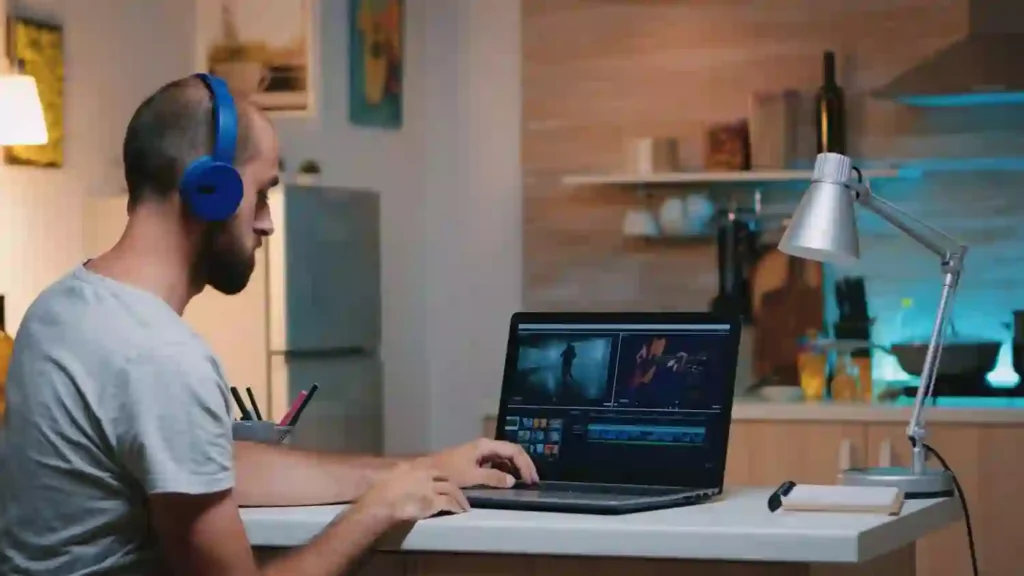
In early 2026, laptops under $1000 for video editing emphasize dedicated GPUs (RTX 3050/4050 or Radeon RX) for hardware acceleration in Premiere Pro and DaVinci Resolve, 16GB+ RAM for smooth multi-layer timelines, and modern CPUs for efficient rendering.
Gaming hybrids lead due to strong graphics and upgradability, handling 1080p excellently and light 4K proxies well. Trade-offs include fan noise during renders, 4-6 hour battery under load, and displays averaging ~70-80% sRGB. Proxy workflows and RAM/SSD upgrades help for demanding projects—perfect for beginners, YouTubers, students, and semi-pros.
1. Acer Nitro V 15 – Best Budget GPU-Accelerated Pick
Overview
The Acer Nitro V 15 offers excellent value in 2026 as an entry-level performance laptop. With Intel 13th/14th-gen Core i5/i7 CPUs, RTX 4050 or newer 5050/5060 GPUs, upgradable RAM and SSD, it handles 1080p editing and light 4K workflows smoothly.
Its 144Hz/165Hz Full HD IPS display, solid port selection, and capable GPU make editing and exports faster than integrated graphics laptops. While fans get loud during heavy renders and battery life averages 4–6 hours, its power, upgradeability, and sub-$1000 pricing make it a smart choice for YouTubers, students, and creators upgrading from older systems.
Pros
- Discrete RTX graphics provide meaningful acceleration for rendering and effects.
- 16GB RAM plus expandable storage supports growing project demands.
- High-refresh-rate screen delivers smooth timeline scrubbing and previews.
- Generous port selection simplifies external monitor and peripheral setups.
- Strong overall 1080p and proxy 4K performance relative to price.
Cons
- Battery drops to 4-5 hours during sustained editing or exports.
- Fans become loud under heavy rendering loads.
- Plastic chassis feels basic compared to premium builds.
- Display color gamut limits professional-grade grading accuracy.
- Complex native 4K RAW timelines usually need proxies.
Best For:
- Creators who need GPU acceleration for 1080p and proxy 4K.
- YouTubers working with effects and layered timelines.
- Students who edit and game on the same machine.
- Users prioritizing speed over premium materials.
- First-time upgraders seeking clear performance gains in Adobe apps.
As an Amazon Associate, we earn a commission from qualifying purchases at no extra cost to you.
2. ASUS TUF Gaming A16 – Best Durable AMD Multi-Core Beast
Overview
The ASUS TUF Gaming A16 stands out in 2026 for creators who rely on DaVinci Resolve or other AMD-optimized software, thanks to its Ryzen 7 or 9 processor and Radeon RX 7600S/7700S graphics. Configurations typically include 16GB DDR5 RAM and 512GB SSD with easy user upgrades. Multi-core strength shines during noise reduction, color grading, and long renders, while the 165Hz Full HD panel keeps previews fluid. Military-grade durability testing ensures it survives travel and daily use, and thermal design maintains stability during extended sessions. Battery life hovers around 5 hours under load, but the robust chassis and connectivity options (including high-speed ports) support external workflows comfortably. Reviewers frequently note it handles creative multitasking alongside light gaming better than many pure productivity laptops in this price range. The heavier weight is noticeable, yet the overall balance of power, build quality, and future-proofing makes it a reliable choice for semi-pro editors who value longevity and consistent performance without exceeding budget limits.
Pros
- Ryzen 7/9 plus Radeon RX delivers superior multi-core rendering.
- DDR5 RAM and 165Hz display enable responsive editing.
- Military-grade construction supports reliable everyday use.
- Effective cooling keeps performance steady during long sessions.
- Versatile enough for editing and occasional gaming.
Cons
- Heavier weight reduces everyday portability.
- Budget configs lack OLED for wider color gamut.
- Battery limited to about 5 hours under heavy workloads.
- Fans remain audible during intensive rendering.
- Some regional variants have fewer global optimization tweaks.
Best For:
- Resolve users who benefit from AMD multi-threading.
- Creators handling multi-threaded 1080p or proxy 4K.
- Travelers needing a tough laptop for mixed creative work.
- Users planning to upgrade RAM or storage later.
- Balanced performers on a strict budget.
As an Amazon Associate, we earn a commission from qualifying purchases at no extra cost to you.
3. HP Victus 15 – Best Reliable Intel/RTX Everyday Value
Overview
: The HP Victus 15 provides straightforward Intel/RTX performance that many creators find dependable for daily 1080p editing and proxy 4K in 2026. Common setups include Core i5 or i7, RTX 3050 or 4050 graphics, up to 16GB RAM, and 512GB SSD. The 144Hz Full HD screen improves timeline smoothness, while straightforward upgrade paths let users add RAM or storage as projects expand. RTX acceleration handles effects and exports noticeably faster than integrated graphics, and ports support quick external monitor connections. Reviews highlight stable operation for beginners or mixed workloads, though base 8GB RAM models benefit from immediate upgrades for optimal multi-layer handling. Battery life shortens during renders, and the chassis prioritizes function over luxury. Overall, its consistent availability, balanced specs, and competitive pricing make it a practical, low-risk choice for affordable entry into accelerated video editing.
Pros
- Intel + RTX combination offers dependable proxy editing.
- 144Hz display enhances timeline and playback fluidity.
- Straightforward RAM/SSD upgrades support future needs.
- Positive user reports on everyday editing stability.
- Attractive pricing and wide availability.
Cons
- Entry configs often start with 8GB RAM.
- Average thermal and build quality.
- Battery drains quickly under rendering.
- Limited color accuracy for professional grading.
- Native heavy 4K may stutter without proxies.
Best For:
- Everyday 1080p editing with occasional 4K proxies.
- Users who appreciate simple upgrade options.
- Mixed productivity and light creative tasks.
- Beginners wanting reliable Intel/RTX performance.
- Those focused on value and easy purchasing.
As an Amazon Associate, we earn a commission from qualifying purchases at no extra cost to you.
4. Lenovo Yoga 7 (2-in-1 variant) – Best Versatile Portable Convertible
Overview
The Lenovo Yoga 7 2-in-1 brings flexible form and strong efficiency to lighter video editing in 2026. AMD Ryzen processors, integrated graphics, touchscreen, and optional OLED panels provide good color reproduction and creative versatility. Configurations with 16GB RAM and 512GB SSD suit quick cuts, 1080p timelines, and portable workflows. The 360-degree hinge enables tablet mode for storyboarding or annotations, while excellent battery life (often 8+ hours for lighter tasks) supports on-the-go use. Touch and stylus compatibility add drawing flexibility. Without a discrete GPU, heavy effects or native 4K remain limited, but optimized media performs smoothly in Premiere or Resolve. High-resolution displays help with previews, though external monitors improve grading accuracy. Lightweight and modern, it appeals to creators who value mobility and hybrid use over maximum raw power.
Pros
- Ryzen processors deliver efficient lighter editing.
- OLED/touch improves color and interaction.
- Convertible design offers laptop/tablet flexibility.
- Strong battery supports extended mobile work.
- Stylus support aids notes and light creative input.
Cons
- Integrated graphics restrict heavy 4K/effects.
- External display often needed for pro grading.
- Higher specs can approach budget ceiling.
- Bulkier in tablet mode on larger variants.
- Graphics struggle with complex multi-layer timelines.
Best For:
- Mobile creators focused on lighter 1080p projects.
- Students needing touchscreen versatility.
- Hybrid tasks combining editing with notes/drawing.
- Users prioritizing battery and form factor.
- Budget buyers avoiding gaming-style bulk.
As an Amazon Associate, we earn a commission from qualifying purchases at no extra cost to you.
5. Acer Swift 16 AI – Best Thin-and-Light AI-Enhanced Portable
Overview
The Acer Swift 16 AI prioritizes slim efficiency for video editing in 2026, featuring Intel Core Ultra processors with dedicated NPU for AI tools in modern apps. High-resolution OLED or touch displays, 16GB+ RAM, and solid SSD storage handle fluid 1080p editing and lighter creative tasks. Metal construction, vivid screens, and exceptional battery life appeal to portability-focused users. Integrated Arc graphics manage basic timelines and effects adequately, while AI features assist with noise reduction or auto-edits. Sleek design suits daily carry, and long runtime fits on-the-go creators. Lacking a discrete GPU, it limits complex 4K or heavy effects, often requiring proxies or simpler projects. OLED variants offer strong color accuracy, though prolonged loads may cause minor throttling. At accessible pricing, it provides a modern, efficient alternative to bulkier gaming laptops for creators who value mobility and contemporary features over peak rendering power.
Pros
- Outstanding portability and extended battery life.
- Sharp high-resolution display for clear previews.
- Smooth 1080p performance with AI assistance.
- Premium metal build enhances daily appeal.
- NPU supports modern AI-enhanced creative tools.
Cons
- Integrated graphics limit heavy effects/4K capability.
- Reduced suitability for complex rendering.
- Storage often needs expansion for large files.
- Possible throttling during sustained heavy loads.
- Not designed for intensive GPU tasks.
Best For:
- Mobile 1080p editing with AI productivity benefits.
- Users who prioritize thin-and-light design.
- Students and creators emphasizing portability.
- Lighter workflows without demanding effects.
- Buyers seeking efficient modern ultrabook traits.
As an Amazon Associate, we earn a commission from qualifying purchases at no extra cost to you.
FAQs Of best laptop for video editing under $1000
Is 16GB RAM enough for 2026 editing?
Yes for 1080p. It works for light 4K with proxies. For big projects, 32GB is smoother and future-proofs your setup.
Do I need a discrete GPU under $1000?
Not always. Integrated graphics handle cuts and basic grades. A dGPU helps with heavy effects and noise reduction but often raises the price.
How much storage do I need?
At least 512GB for system and apps. 1TB is better. Use an external NVMe SSD for media, cache, and backups.
Which is the best laptop for video editing under $1000 for students?
The HP 15.6-inch i5 with 32GB RAM and 1TB SSD is my pick. It offers smooth timelines, fast exports, and strong value.
Final Verdict: Which Should You Buy?
If you want the best balance of speed and headroom, pick the HP 15.6-inch i5 with 32GB RAM and 1TB SSD. It feels fast now and stays relevant longer.
If you value portability, choose a 14-inch model and add an external SSD. Both paths still count as the best laptop for video editing under $1000 for their audience.